How to Choose a First AI Automation Project
How to pick a first AI automation project with high chance of success, using concrete workflow examples, common pitfalls, and the approach Animas AI uses in shipped systems.
Quick answer
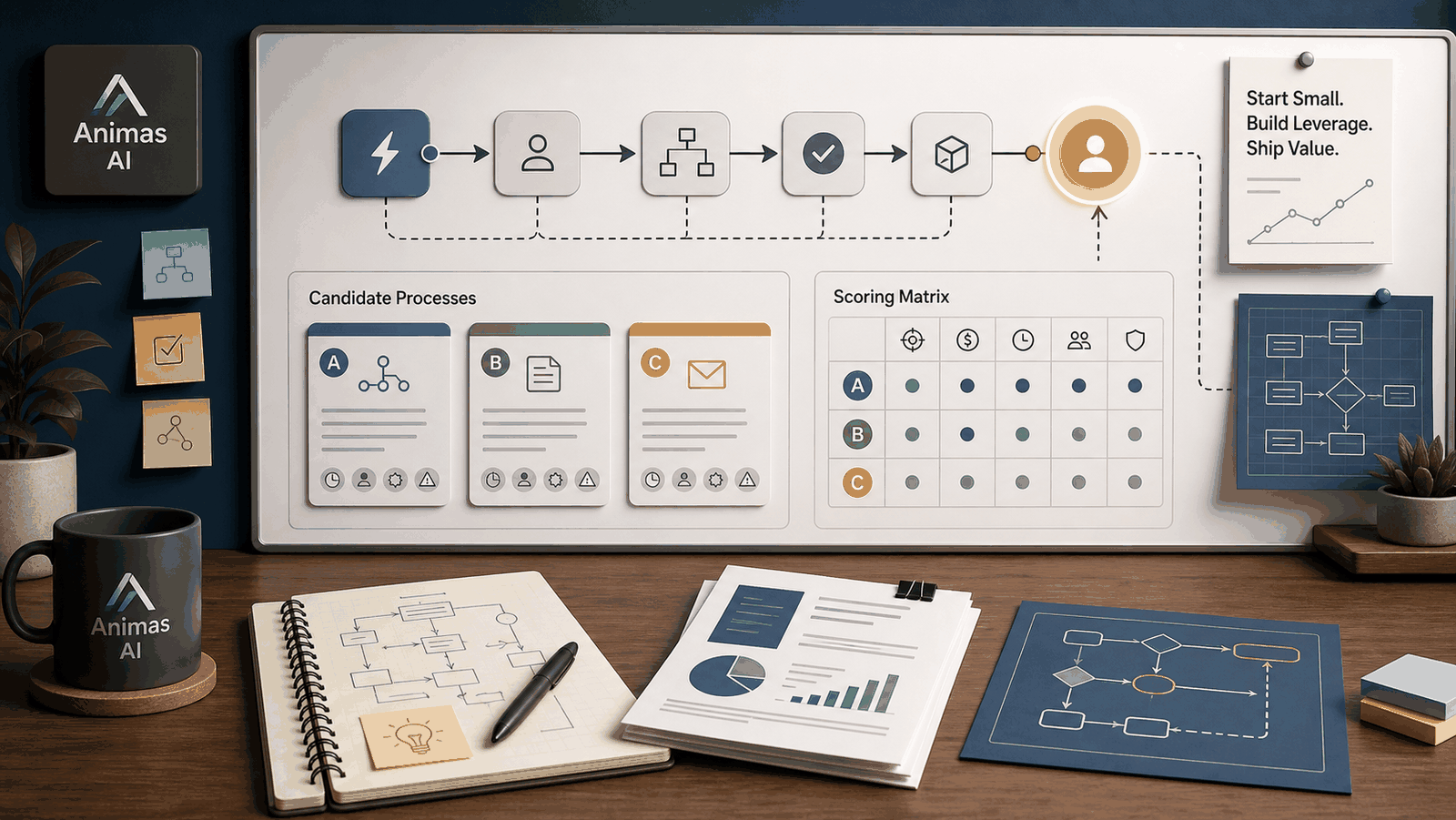
Start with a task your team already does hundreds of times a month, where a human is the clear bottleneck. Build something that assists a person instead of replacing them. Design a tight handoff: the AI drafts, a teammate reviews. The best first projects are narrow, measurable, and led by someone who can iterate without waiting for a steering committee. If you can’t sum up the before-and-after in one sentence, the scope is too wide.
---
A realistic workflow example
A small SaaS company receives roughly 300 support emails a week. Most are simple: “How do I reset my password?” or “What’s your refund policy?” Their small support team spends half the day typing the same replies, which delays responses to higher-value tickets.
**The first AI project** targets email triage and draft replies.
- **Owner:** Head of Customer Success—someone with authority to change the process and measure results.
- **Trigger:** A new email lands in the shared inbox (Help Scout or Gmail).
- **Action:** An AI agent reads the email, classifies the intent, pulls relevant knowledge‑base articles, and drafts a reply.
- **Handoff:** The draft goes to a review queue inside their existing tool. A support team member sees the draft, edits if needed, and hits send. If the AI’s confidence score is below a set threshold, the ticket skips the draft and lands in the human‑only queue.
- **Output:** A sent reply. The loop closes when the reviewer marks the draft as “used” or “skipped.”
- **Failure path:** If the classifier keeps getting the intent wrong, the owner adjusts the prompt or adds examples. Tickets the AI can’t handle simply flow to the manual queue as usual.
In the first two weeks, average handling time for routine emails drops by more than half. The goal isn’t zero‑touch; it’s fewer minutes spent typing the same lines, so the team can focus on tickets that need a real conversation.
That pattern—narrow scope, AI as drafter, human reviewer—is the same shape as systems Animas AI has shipped. For example, [Pip](/pip.html) drafts RFP responses for a consulting firm. It turns a document that once ate hours of repetitive typing into a review‑first workflow, and the writers own the final answers.
---
What breaks in real teams
- **Picking a project that’s too broad.** “Automate customer service” isn’t a first project. Without a concrete, countable task, you can’t tell if the system is helping or just adding noise.
- **Ignoring the handoff.** If the person reviewing the AI output doesn’t know when to intervene, how, or why, the system gets abandoned. Handoffs are not only technical details—they’re the rhythm the team needs to trust the drafts.
- **Treating success as a binary.** Teams often expect perfect answers from day one and kill the project when it falls short. A first project succeeds if it reduces tedious work, even if a human still checks and corrects. Improvement over time is the metric, not flawless automation.
- **No clear owner.** When responsibility for the system is shared, nobody tunes the prompts, watches for edge cases, or pushes for the next iteration. It decays within weeks.
---
What to build first
Look for the work that makes people groan—the repetitive, rule‑heavy blocks of time that show up every day. Three signs a task is ready for a first AI project:
1. **High frequency.** The task happens dozens of times a day or week. Volume creates the dataset you need to improve the system and makes time savings visible. 2. **Predictable inputs.** Emails, support ticket forms, structured spreadsheets, or standard documents. The more uniform the input, the easier it is for the AI to produce reliable drafts. 3. **Low‑cost mistakes.** The ideal first task can be 80% right with a human review catching the rest. Drafting a reply is fine; approving a refund without oversight is not.
Examples that fit: answering common sales or support questions, pulling data from incoming invoices, triaging leads into priority buckets, drafting initial project estimates from a brief. Measure the outcome in time reclaimed or throughput increased.
---
What to avoid
- **Autonomous agents with no oversight.** Do not start with a system that makes decisions and takes action without a human in the loop. Trust builds gradually; don’t grant it to an untested model.
- **Projects that demand perfect accuracy from day one.** If a mistake triggers a revenue loss, a compliance breach, or an angry customer with no safety net, pick something else.
- **Tasks that require deep, creative judgment as the primary output.** AI can assist, but starting with an open‑ended “write our monthly strategy memo” leads to vague results and abandoned systems.
---
How Animas thinks about it
We treat a first AI project as an operating system for the team, not a prototype. The question isn’t “can the model do it?” but “can the team run it?” That means designing for the handoff: what the person sees, when they review, and how they signal whether the output was good.
The work on [Pip](/pip.html) is a concrete example. We didn’t try to replace proposal writers; we built an assistant that drafts RFP answers inside the tools they already use. The writer reviews, edits, and owns the final version. That design removes hours of repetitive typing while keeping expertise exactly where it belongs. It also gives the team a clear, measurable win in the first weeks.
Whether the system lives in a shared inbox, a Slack channel, or a custom interface, the same principles hold: start narrow, measure what changes, and keep the human decision where it matters. That’s how operational teams adopt AI—not through big‑bang promises, but through small, shipped systems that earn trust.
If you’re evaluating where to start, the [What I build](/solutions.html) page outlines the kinds of systems we design every day, and the [Pip case study](/pip.html) shows what that looks like from kick‑off to daily use.
---
FAQ
How do I know if a task is actually ready for AI automation?
Three filters: you do it constantly, the inputs are reasonably consistent, and getting it 80% right with a human check is acceptable. If you can’t picture who will review the AI’s output and how, the task isn’t ready yet.
Should my first project be customer‑facing or an internal tool?
Start internal. Internal tools let you iterate without public risk. Customer‑facing automation adds brand‑reputation pressure that makes every mistake feel catastrophic. Build the muscle internally first.
What if the AI makes too many mistakes?
Mistakes in a drafted reply aren’t failures—they’re training data. Each correction by the reviewer improves the system over time. The real failure is a project where no one sees or corrects the output, so errors persist unnoticed.
How long should a first project take?
A tightly scoped assistant—one that handles a single, well‑defined task—can be built and running with reviews in two to four weeks. The goal is to get something working fast, then refine based on real usage, not to plan for months.
---
Source notes
This article is based on operational patterns from shipped systems at Animas AI, including the [Pip](/pip.html) case study, and conversations with teams adopting AI for practical, internal workflows. No client-specific data or private metrics are disclosed.

Want this kind of system in your business?
Send the messy workflow. I will help turn it into a practical AI system.
Email Tyler